
https://app.volleyballoperatingsystem.com/y/{campaign-id}/.
1
Open the link
Confirm the club name and campaign title. If signup is closed, wait for the club to publish or to open the window.
2
Choose a team
Select the team you are trying to join.
3
Choose gym sessions
Check every session you can attend. Sessions marked Full cannot be selected. The club must add at least one session before signup works.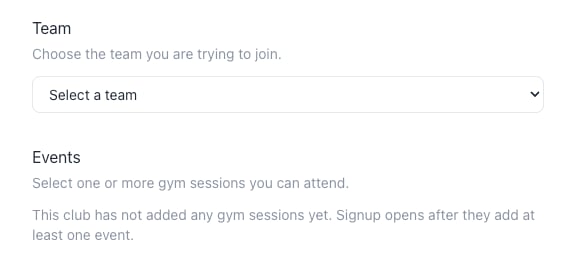
Gym sessions appear here after the club adds them. Until then, signup stays closed.
4
Enter athlete details
First name and last name are required. Email, phone, and date of birth are optional depending on what the club needs.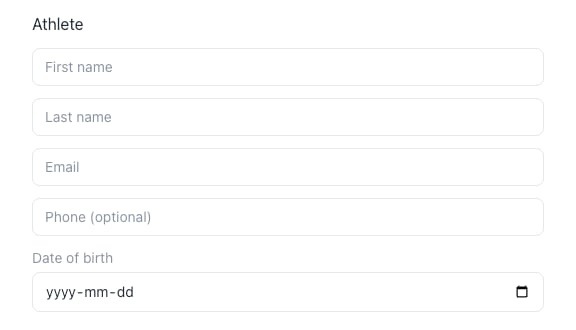
Athlete first name and last name are required.
5
Enter parent details if needed
Fill in a parent if you want the club to contact a guardian. Leave the parent fields empty if they do not apply.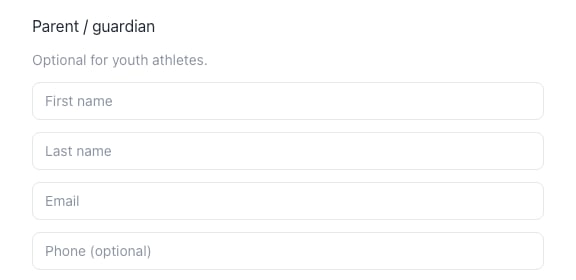
Parent details are optional for youth athletes.
6
Submit
Add notes if you want, then submit. You should see that you are signed up and that the club will contact you when selection status is ready.